
Smart Jewelry Memory App

Problem
Galatea created smart jewelry that allows users to store personal memories such as videos, photos, and audio through NFC technology. However, customers struggled to understand how the product worked and how to access and manage their memories through the app.
Solution
I redesigned the app to make it easier to scan jewelry, access memories, and manage personal content. The focus was on simplifying the NFC interaction, improving navigation, and giving the experience a warmer feel.
I also proposed new features that added more ways for users to store and share memories.
Results
The redesign received positive feedback from customers, who noted the improved usability and how much easier the app was to use. The new interface made the smart jewelry experience clearer and more straightforward from the start.
Design Process
Before the Redesign
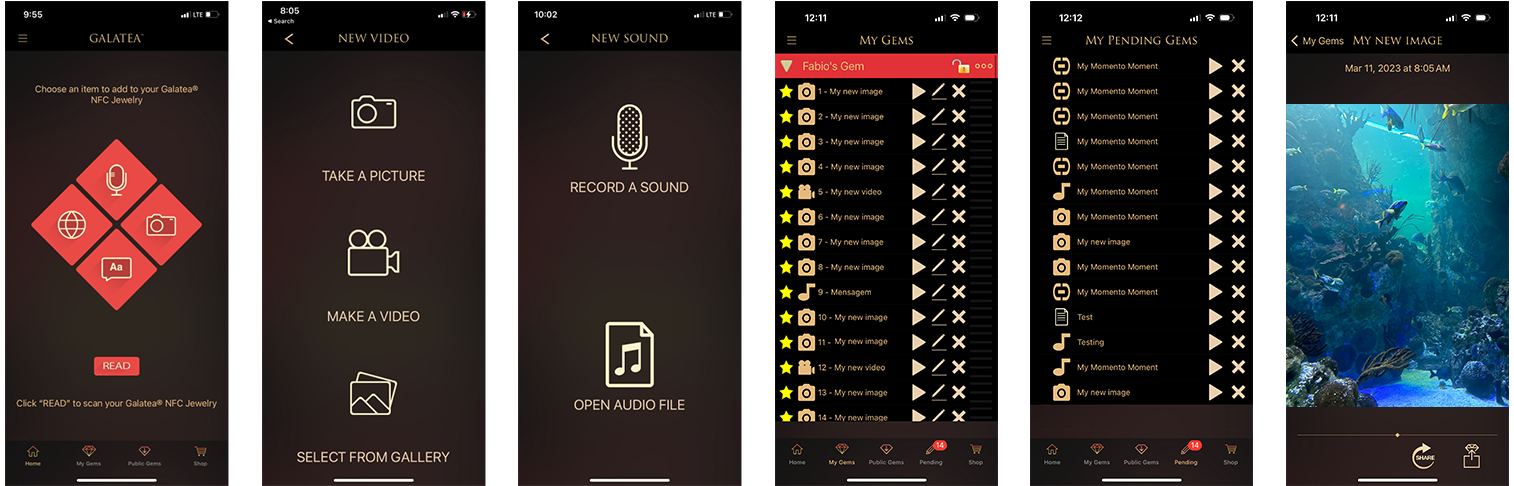
The original interface used a dark, file-list approach to adding memories. Users were presented with a row of text-based options: Take a Picture, Record a Sound, Make a Video, Open a File, and Select from Gallery. This created cognitive overload and made it difficult to understand the product at a glance.
Design Concept
Navigation challenges stemmed from the file-list system, which created cognitive overload. The redesign prioritized visual elements so users could identify their jewelry and memories through thumbnails, without having to read through long file lists.
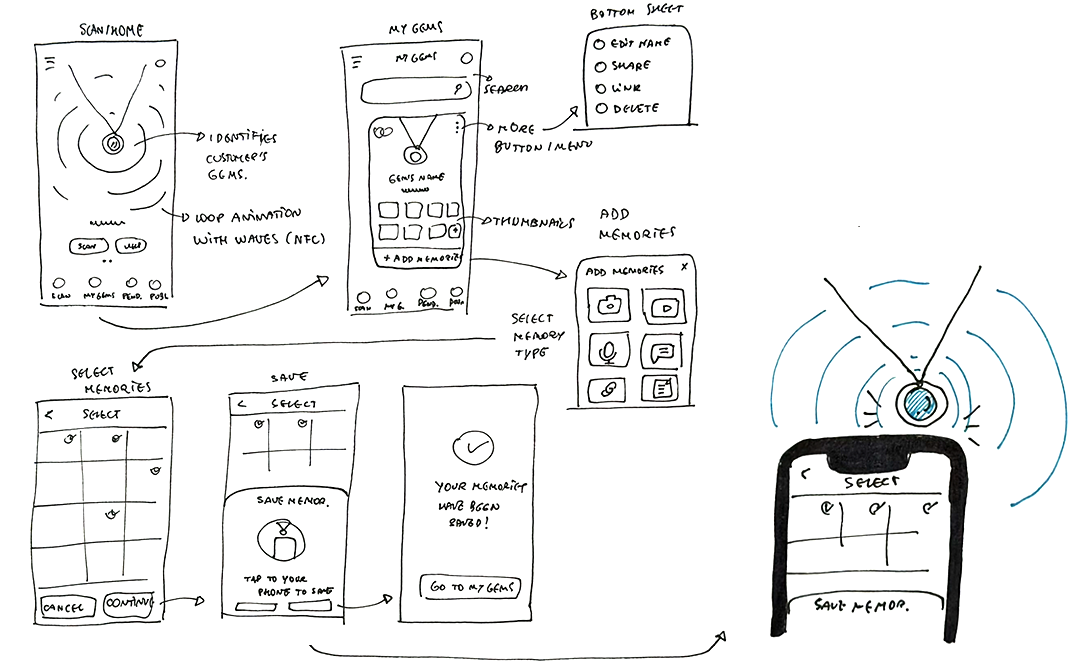
Early sketches explored the core flows: the Scan/Home screen with a looping NFC animation, the My Gems visual gallery, the Add Memories type picker, and the tap-to-save confirmation step.
Low Fidelity Prototypes
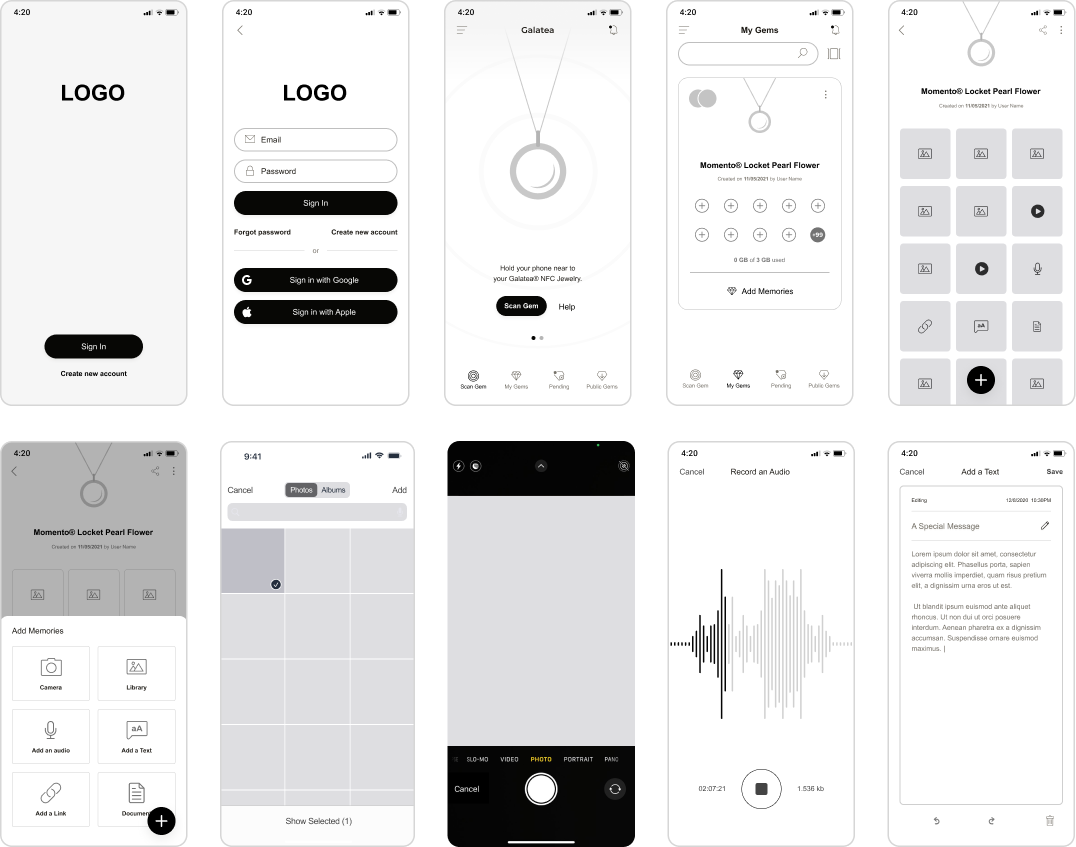
I translated the paper sketches into digital wireframes covering all key screens: splash, login with social sign-in options, the Scan Gem NFC screen, My Gems gallery, gem detail with memory grid, Add Memories bottom sheet, photo library picker, camera capture, audio recording, and text editor. Having these wireframes in place helped test and validate the core flows before any visual design was applied.
High Fidelity Prototypes
Key Screens
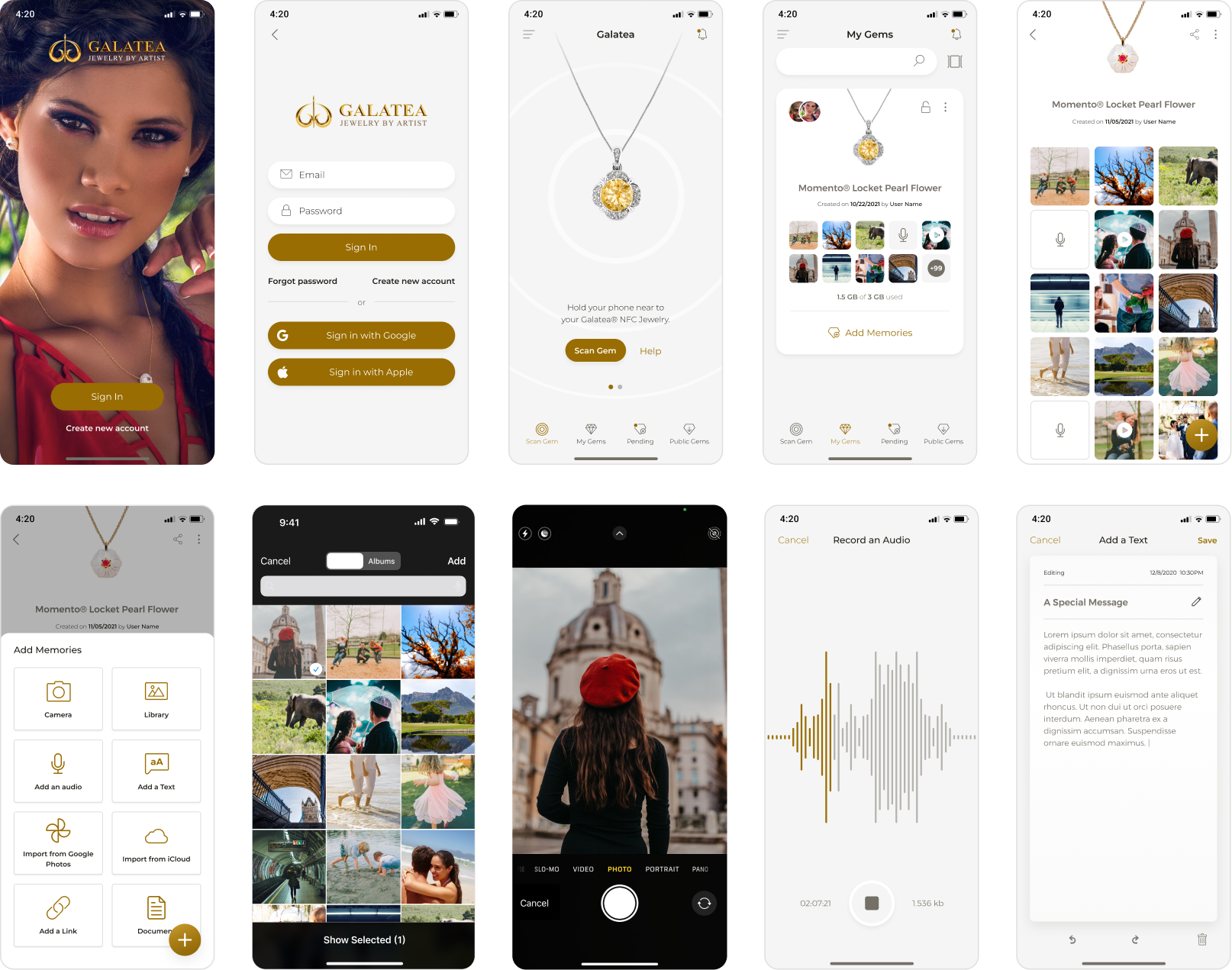
The high-fidelity design used a warm visual style, with cream whites, gold accents, and refined typography to match Galatea's jewelry brand. All ten core screens were designed in full detail, from the login screen with lifestyle photography to the memory capture and text editor.
Adding Memories
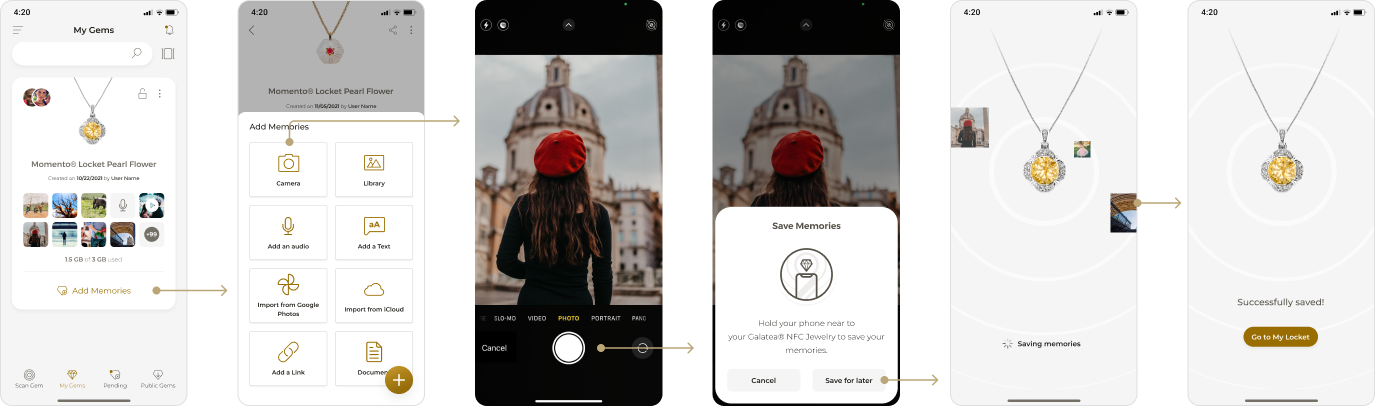
The redesigned Add Memories flow guides users from the My Gems screen through a clear, step-by-step process: select a memory type from an icon-based bottom sheet, capture or import the content, then hold the phone near the smart jewelry to save. The save step includes a visual animation and a "Successfully saved!" confirmation, giving the act of storing a memory a clear and satisfying endpoint.
Scanning Jewelry
When a user taps their smart jewelry to their phone, the app opens and shows the stored memories: photos, videos, audio recordings, text messages, and custom links. The scan flow was designed around a single tap, with memories displayed in a visual carousel for easy browsing.


Custom Animations


Want to learn more about this project?
hello@irvingsuna.com